

-
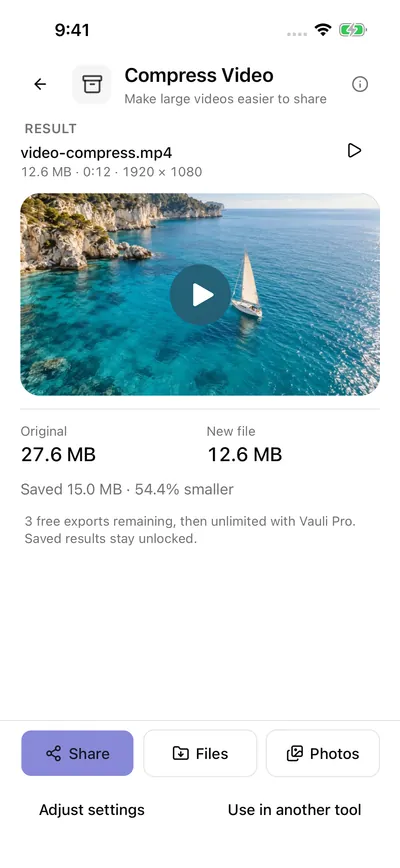
Compress Video Make large videos easier to share
-
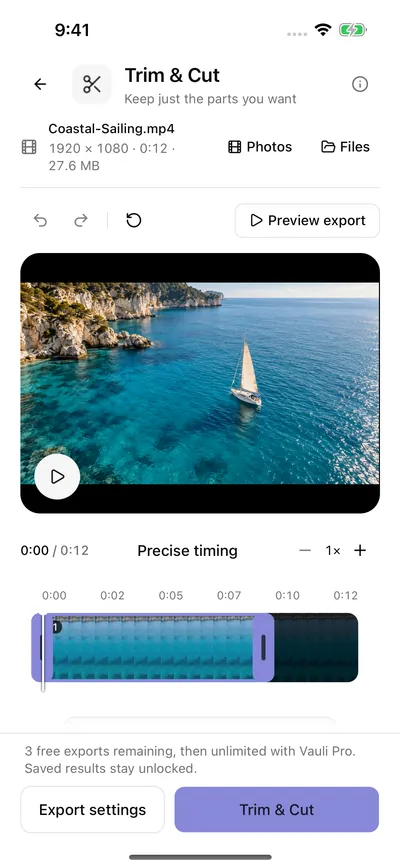
Trim & Cut Keep just the parts you want
-
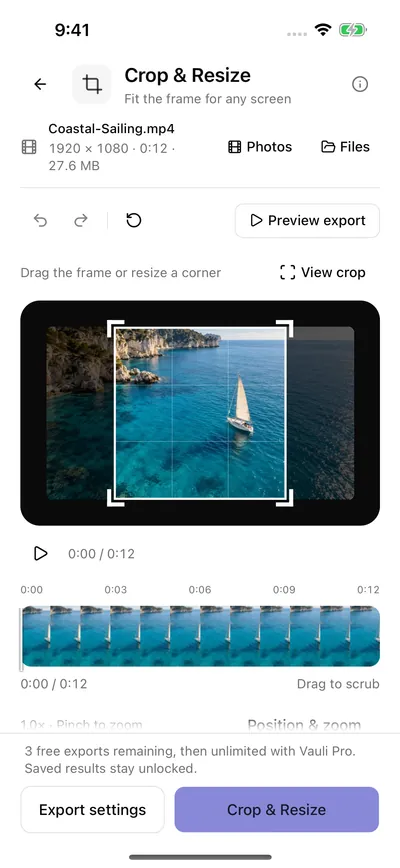
Crop & Resize Fit the frame for any screen


Captured natively in the iPhone 16 simulator (iOS 26) from Vauli 1.0.8 (build 25, the next update), 19 October 2026, in light and dark mode: this page shows the one that matches your device. Labels can differ slightly from the App Store version, 1.0.7. The clip is Coastal-Sailing.mp4: 1920 × 1080, 0:12, 27.6 MB.
20 tools on one Home screen
Grouped the way the app groups them, with the line the app shows under each tool.
Edit
- Trim & CutKeep just the parts you want
- Crop & ResizeFit the frame for any screen
- Merge VideosJoin your clips in the right order
- Change SpeedSet the pace
- Split VideoMake a separate clip
- Loop VideoRepeat the moment
- Reverse VideoRun it in reverse
- Freeze FramePause on a moment
Enhance
- Blur & PixelateCover private details
- Add Text / LogoLabel your video
- Adjust VideoPolish the picture
Audio
- Mute VideoKeep the picture, remove the sound
- Extract AudioSave just the soundtrack
- Replace AudioChoose the soundtrack
- Clean AudioReduce background noise in speech (a simple filter)
Formats
- Compress VideoMake large videos easier to share
- Video to GIFMake a moment loop
- Save FrameKeep one perfect moment
- Convert VideoImprove compatibility
Privacy
- Metadata CleanerShare a private clean copy
Aim for a size, then check it.
Compress Video can aim for a file size: tap 10, 25, 50 or 100 MB, or enter any size from 5 to 2,000 MB. The result is checked after export.
Quality: High · Balanced · Small. Preview: up to 5 seconds before you export.
27.6 MB to 12.6 MB

Your videos stay on your iPhone
“Your media stays on your device.” Vauli Settings
Every tool runs on the iPhone, using Apple’s AVFoundation and Core Image.
Choose videos from Photos (up to 20 at once) or Files. Vauli doesn’t ask to read your photo library; it only asks to add exports to it.
“Save to Vauli” takes up to 20 videos from another app.
Exported files are written with their metadata cleared.
Purchases go through Apple and RevenueCat. The app also collects usage and diagnostic data (PostHog), not your videos.
Limits worth knowing
- Videos up to two hours and 10 GB. Your iPhone needs the video’s size plus 50 MB free.
- GIFs up to 15 seconds. Merges up to 20 clips.
- Clean Audio is a simple filter: it cuts low rumble and quiet background noise in speech. It is not AI noise removal, and it can’t separate overlapping voices.
- No captions, stabilization, upscaling or object tracking. Blur & Pixelate covers one fixed area for the whole video.
- Mute Video keeps the original picture. Every other tool re-encodes it.
- iPhone only, iOS 15 or later. No camera or screen recording, no accounts, no cloud.
Questions
- Does Vauli work offline?
- Yes. Every tool processes the video on your iPhone, so trimming, compressing and converting work without a connection. Your videos aren’t uploaded. Buying or restoring Vauli Pro needs a connection.
- Can Vauli compress a video to a specific size?
- Yes. In Compress Video, set File size to Target size and tap 10, 25, 50 or 100 MB, or enter any size from 5 to 2,000 MB. The result is checked after export.
- Is Vauli free?
- Editing and previews are free, and your first 3 exports are free. After that, Vauli Pro unlocks unlimited exports.
- Which videos can Vauli open?
- MP4 and MOV videos from Photos or Files, up to two hours and 10 GB. You can also send videos to Vauli from another app with “Save to Vauli” in the share sheet.
- Does Clean Audio use AI?
- No. Clean Audio is a filter that reduces low rumble and quiet background noise in speech, with Natural, Balanced and Strong settings. It can’t separate overlapping voices.
- Can I make a GIF from a video?
- Yes. Video to GIF makes a GIF of up to 15 seconds, 240, 480 or 720 pixels wide, at 5, 10, 15 or 20 frames per second.